
AWS S3
Connect AWS S3 to BucketMate with access keys, AWS profiles, or AWS SSO
BucketMate can connect to AWS S3 with static access keys, local AWS profiles, or AWS SSO profiles from your Mac.
Prerequisites
- AWS Account
- Access Key ID and Secret Access Key, or a profile in
~/.aws/configor~/.aws/credentials - AWS CLI installed when using an AWS SSO profile
- S3 bucket access
- Region for the bucket you want to manage
Recommended IAM permissions
Start with the narrowest policy that matches your workflow. BucketMate features can require these S3 actions:
s3:ListAllMyBucketsto load all buckets automaticallys3:ListBucketto browse a buckets3:GetObjectto download, preview, open, and share filess3:PutObjectto upload, create folders, rename, move, and quick edits3:DeleteObjectto delete, rename, move, and empty bucketss3:CreateBucketto create bucketss3:DeleteBucketto delete empty buckets
If you do not allow s3:ListAllMyBuckets, turn off Credentials have permission to list buckets and enter bucket names manually.
Connection steps
Access key
- Open BucketMate.
- Choose Add Connection.
- Select AWS S3.
- Select Access Key.
- Leave endpoint empty, or enter
https://s3.<region>.amazonaws.com. - Enter the access key ID and secret access key.
- Select the bucket region.
- Use Test Connection.
- Save the connection.
AWS profile and SSO
- Configure an AWS profile with the AWS CLI. For SSO, run
aws configure sso --profile <profile-name>. - Open BucketMate.
- Choose Add Connection.
- Select AWS S3.
- Select AWS Profile.
- Choose a detected profile. SSO profiles include (SSO) in the profile name.
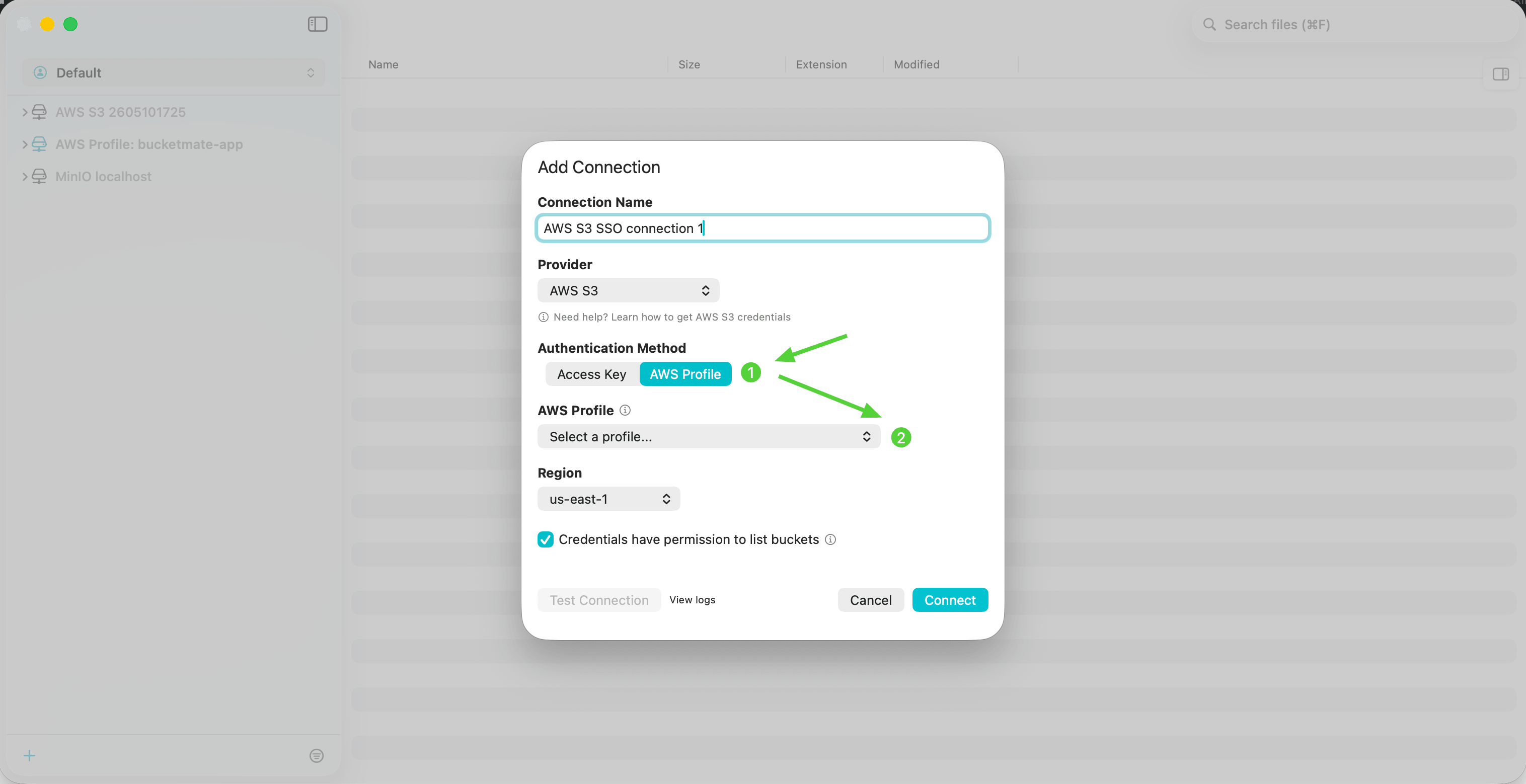
- For an SSO profile, choose Login with SSO. BucketMate opens your browser automatically.
- Enter the verification code shown in BucketMate and finish signing in.
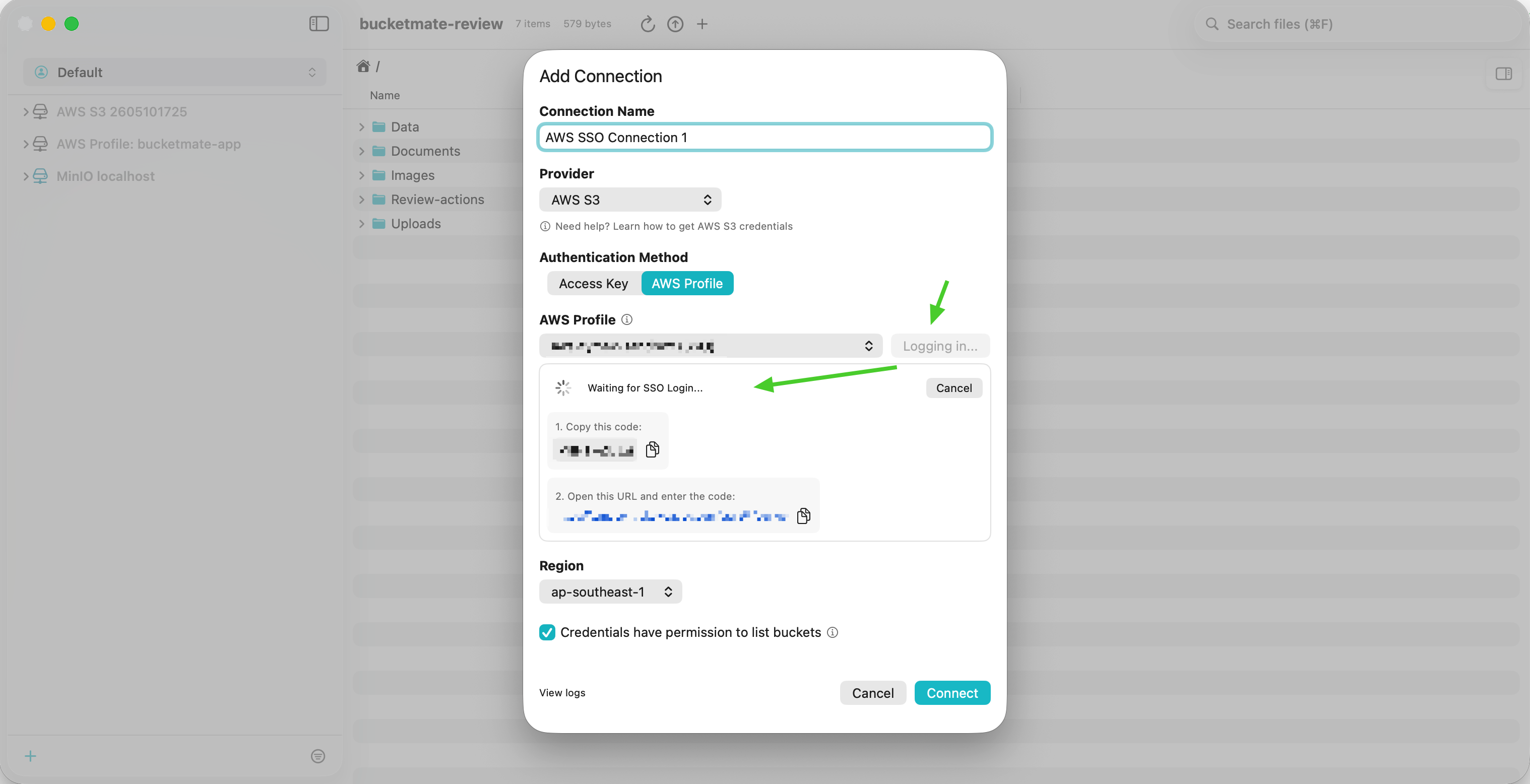
- Return to BucketMate after the SSO login succeeds.
- Select the bucket region and use Test Connection.
- Save the connection.
Endpoint and region
AWS S3 usually works best with an empty endpoint and the correct region. Use a region-specific endpoint only when your setup requires it.
| Region | Endpoint |
|---|---|
us-east-1 | https://s3.us-east-1.amazonaws.com |
us-west-2 | https://s3.us-west-2.amazonaws.com |
| Custom AWS-compatible endpoint | Use the provider endpoint instead of AWS S3 |
Common issues and fixes
Endpoint and region mismatch
If the endpoint does not match the bucket region, AWS can return 301 PermanentRedirect errors. Fix by using the bucket's region-specific endpoint, especially for buckets outside us-east-1.
Path-style URL deprecation
Path-style URLs are planned for discontinuation. Fix by switching to virtual-hosted-style URLs for new integrations.
Buckets do not load
If the credentials can access a bucket but cannot list all buckets, disable bucket listing and add bucket names manually.
SSO profile is expired
Use Login with SSO from the connection form, then test the connection again.
Access denied on preview or download
Preview, open, download, and share-link creation need object read permission. Add s3:GetObject for the target bucket path.